> ## Documentation Index
> Fetch the complete documentation index at: https://docs.gcore.com/llms.txt
> Use this file to discover all available pages before exploring further.
# Add a new user to your account
Multiple people often need access to the same hosting account — a site administrator, a billing contact, or a developer. Adding a sub-user gives each person separate login credentials instead of sharing a single password.
To add a new user:
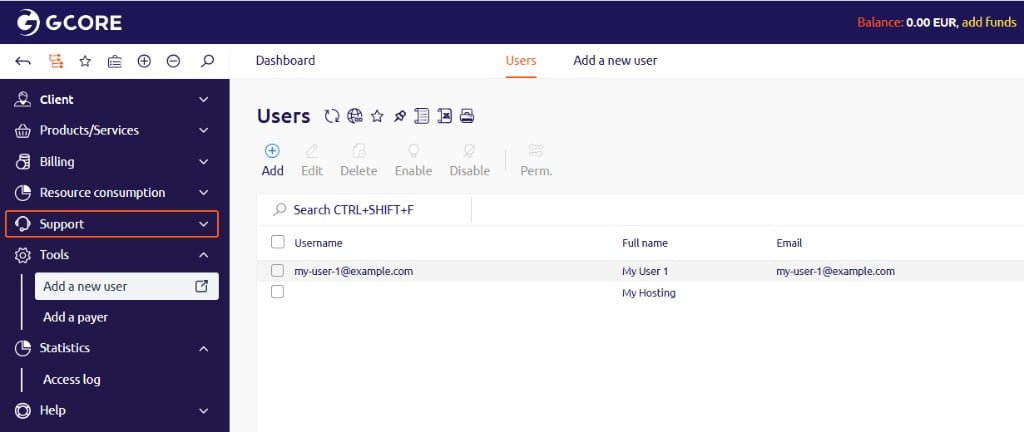
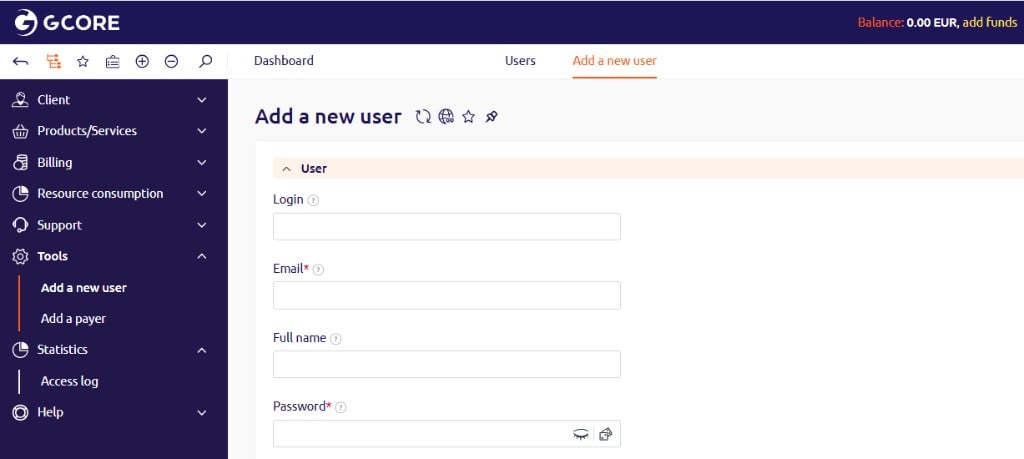
1. In the [Gcore Hosting Portal](https://hosting.gcore.com/billmgr), navigate to **Tools** > **Add new user**.
 2. Fill in the required fields:
* **Email** — the login email address for the new user.
* **Password** and **Confirmation** — the initial password. The user can change it after logging in.
3. (Optional) Fill in additional fields as needed:
* **Login** — an alternative username.
* **Full name** — the user's display name.
* **Phone number** — a contact number.
* **Full access** — grants the user full account permissions.
* **User roles** — assigns a specific role to the user.
* **Avatar** — uploads a profile photo.
4. Click **Save**.
After at least one user has been added, the user list becomes available. Navigate to **Client** > **Users** to view it.
2. Fill in the required fields:
* **Email** — the login email address for the new user.
* **Password** and **Confirmation** — the initial password. The user can change it after logging in.
3. (Optional) Fill in additional fields as needed:
* **Login** — an alternative username.
* **Full name** — the user's display name.
* **Phone number** — a contact number.
* **Full access** — grants the user full account permissions.
* **User roles** — assigns a specific role to the user.
* **Avatar** — uploads a profile photo.
4. Click **Save**.
After at least one user has been added, the user list becomes available. Navigate to **Client** > **Users** to view it.