> ## Documentation Index
> Fetch the complete documentation index at: https://docs.gcore.com/llms.txt
> Use this file to discover all available pages before exploring further.

# Check the payment history

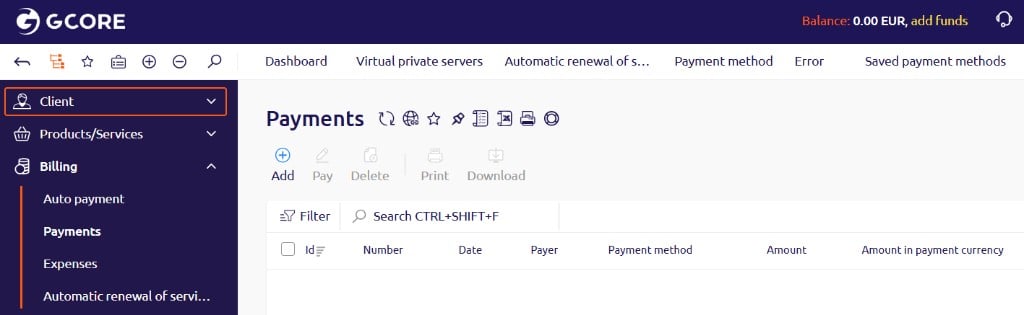
In the left sidebar, navigate to **Billing** > **Payments**.

To view an invoice for a payment, select the payment and click **Print** to open the invoice in a new tab. To save the invoice as a PDF, click **Download**.
<Frame>
  <img src="https://mintcdn.com/gcore/494jjlOXZiI1ohtY/images/docs/hosting/payments/check-the-payment-history/check-the-payment-history-image1.png?fit=max&auto=format&n=494jjlOXZiI1ohtY&q=85&s=1a6e33121a0767ddac649ddf96926cc5" alt="Payments page showing the Print and Download buttons in the toolbar" width="1024" height="315" data-path="images/docs/hosting/payments/check-the-payment-history/check-the-payment-history-image1.png" />
</Frame>
